
TL;DR INSTRUCTIONS
1. Go to drunkbrian.info on your smartphone.
2. Bookmark the website.
3. Put bookmark shortcut on home screen.
INSTALLATION INSTRUCTIONS
iPhones:
Open Safari, go to drunkbrian.info and let the website load. Tap the "square arrow" button on the bottom, tap Add to Home Screen. It will prompt you for the name, you can leave it as default and tap Add. Now you have an icon on your home screen that will take you to the website.
Android/Windows/etc.
For all other smartphones first open your web browser of choice. Go to drunkbrian.info and let it load. Add this website to your bookmarks. Now go back to your home screen and do whatever steps you need to do to add a shortcut to your home screen (each phone is different, usually tap and hold brings up the menu). Add the bookmark of drunkbrian.info to your home screen in a convenient location.
TEST IT OUT
When you access the website for the first time all the maps and pictures will be automatically downloaded to your phone in the background. This takes awhile over Wi-Fi, maybe longer over 3/4G. The entire site is around 50MB so give it time to load up. Give it up to 30 minutes to download all the files. Now to test it out put your phone in airplane mode. Tap the shortcut to DRUNK BRIAN on your home screen. You may get an error or two (because of no connection) but you should be able to clear the error and click on everything on the site without Internet access. If by chance this doesn't work try another web browser like Firefox, Chrome, Opera, etc and go through the installation steps again.
When this is saved on your phone it should work in airplane mode and all files will be there even when you turn off your phone and turn it back on. I made it work this way because of the shoddy cell phone reception everyone gets on RAGBRAI. You can access the site on your home computer too.
REMOVAL INSTRUCTIONS
iPhones:
Press and hold the DRUNK BRIAN icon and when it wiggles tap the X in it's corner. Click Delete button to remove bookmark.
Android/Windows/etc.
First delete your shortcut on your home screen. Usually you can press and hold the DRUNK BRIAN icon and drag it up to remove. Now open your Internet app and make sure the tab that contains DRUNK BRIAN is closed (if it's open). Now you need to erase your cache. That may differ per browsers. For mine I tap Menu, Settings, Privacy & security, Clear cache and tap OK.
ABOUT DRUNK BRIAN
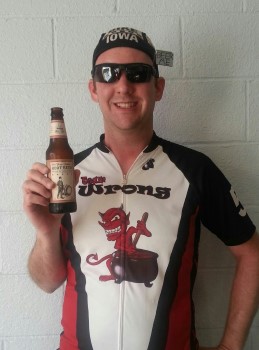
This website was created by me, Drunk Brian. I work in the I.T. field and decided to put all this info in one place. This will be my 7th RAGBRAI and I love every minute of it.
You can reach me at drunkbrianapp@gmail.com
A special thanks goes out to Team Brewhaha for allowing me to post their Bar Guide on this site!